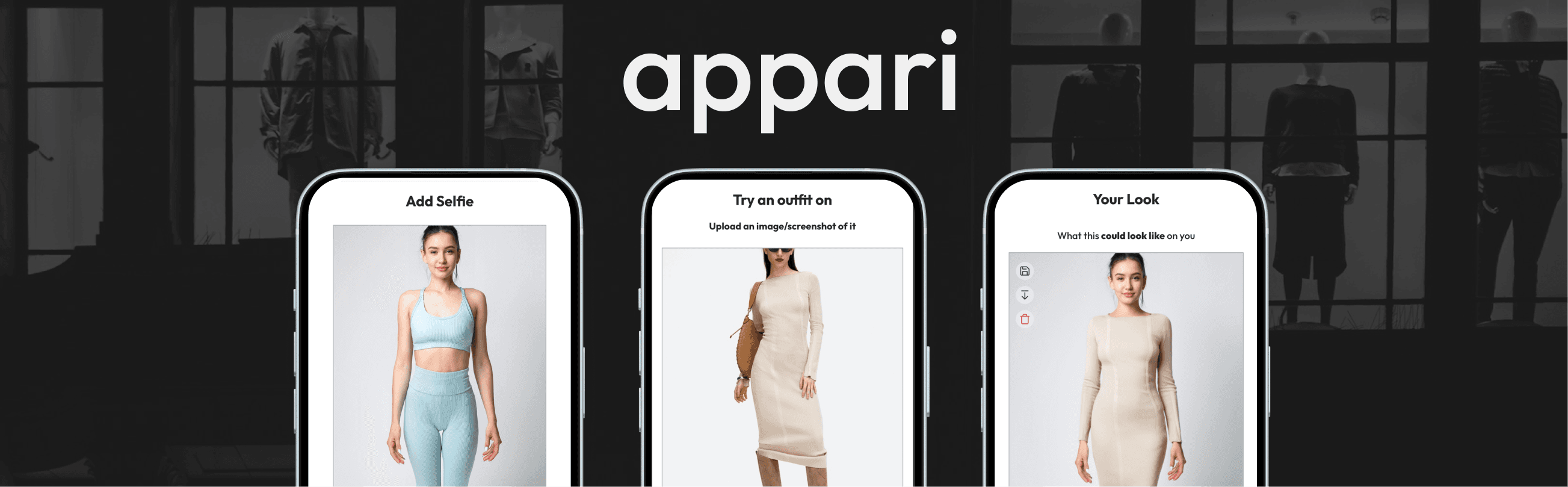
Appari : a Gen-AI try-on app, designed & shipped from 0-1
- ROLE
- Lead Product Designer
- TEAM
- Full Stack Dev, AI Engineer, Designer (me)
- COMPANY TYPE
- Startup, Consumer B2C
- Deliverables
- Research, Product Design, Branding, Design Language, Design System
- Design Stack
- Figma, ChatGPT, Claude
- Tech Stack
- VS Code, Vue.js, Tailwind, Next.js, Fashn API, MongoDB, AWS, Vercel
- MEDIUM
- Mobile App, Website
Shabia designed and shipped Appari, a gen-AI virtual try-on app, from zero to 250+ users with a 60% first-use completion rate.
VELOCITY
60%
First time users completed a try on in under 5 mins
AI SLOP RATE
15%
Chance of incorrect image generation
USERS
250+
Post MVP launch
“Proof of concept does not exist yet”
You can't tell how clothes will look on you online, so people buy multiple sizes and return them, or don't buy at all. We all have experienced this.
The bet: show shoppers clothes on their own body, from any store, and they'll buy with more confidence.
A real zero > one
What 340+ people told us
Consumer pain points
From survey's and direct interviews, main signals
“I usually buy two sizes, try them on, and return one.”
“If I could see how it looks before buying, I'd shop online more often.”
“I don't look like the model, I can't picture myself wearing it.”
Competitor analysis
Competitors (Zyler, True Fit, AR tools) were single-store, desktop only or needed complex setup.



Gaps
What we started with
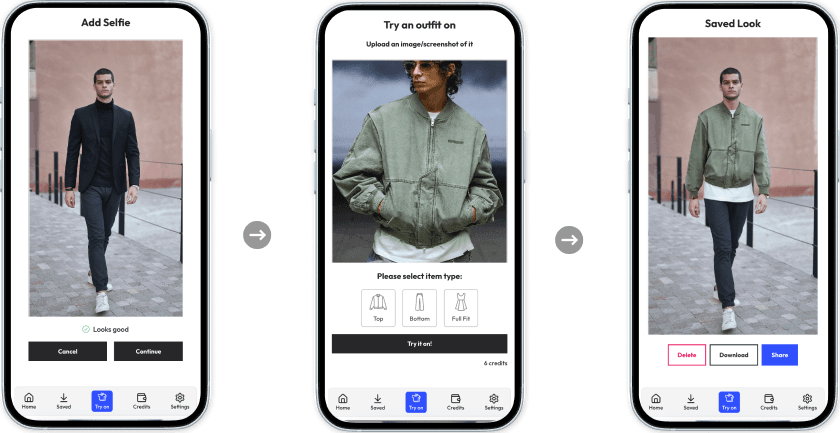
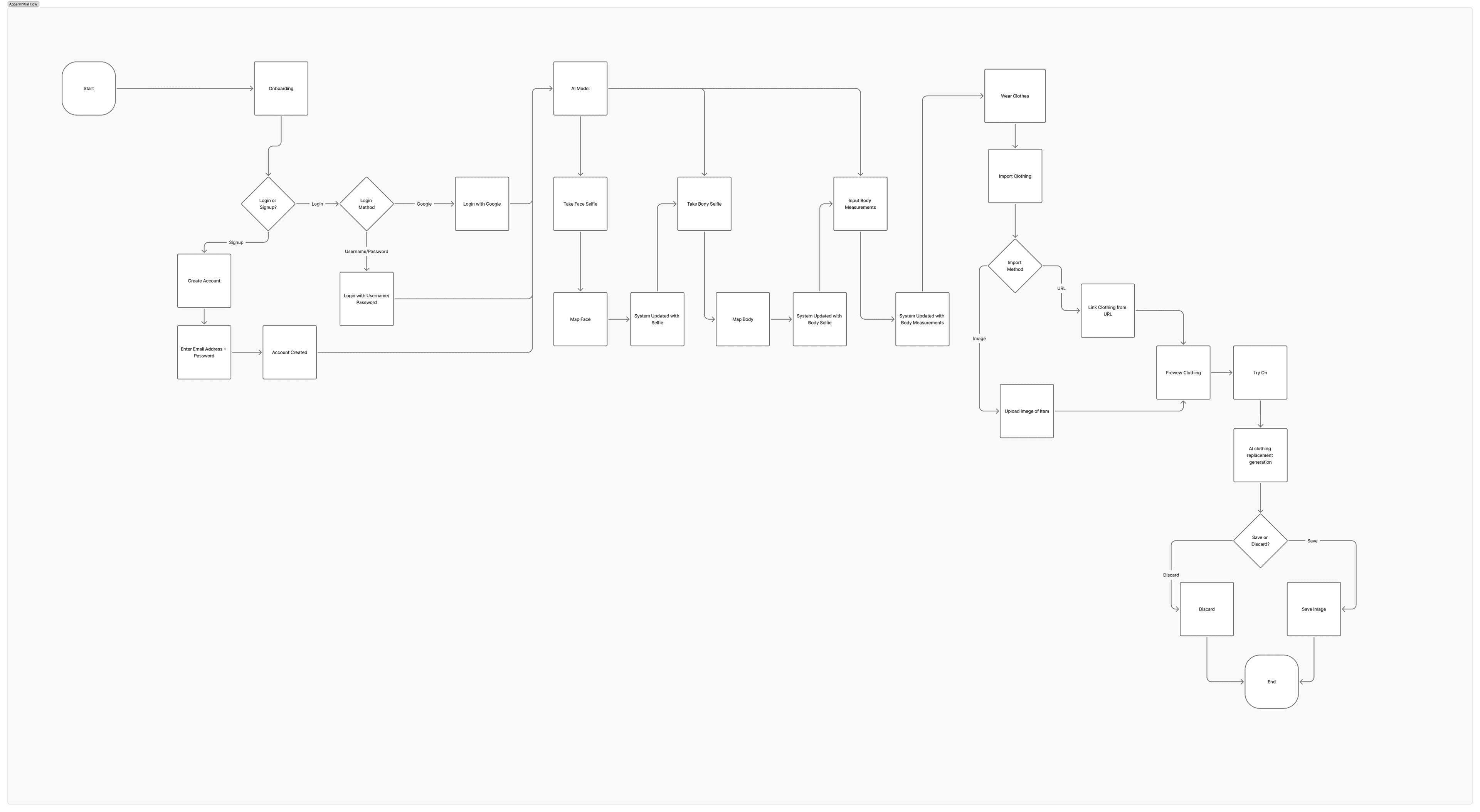
Core user journey:
Import an item from any retailer
Upload a selfie or saved photo
See it modelled on their AI twin
Share, or proceed to purchase
MVP must haves
I prioritised features for the initial launch based on user needs and technical feasibility:
Because there isn't a UI kit, or existing app, I explored this using quick throw away wireframes for initial ideas
Draft 01: Create AI model
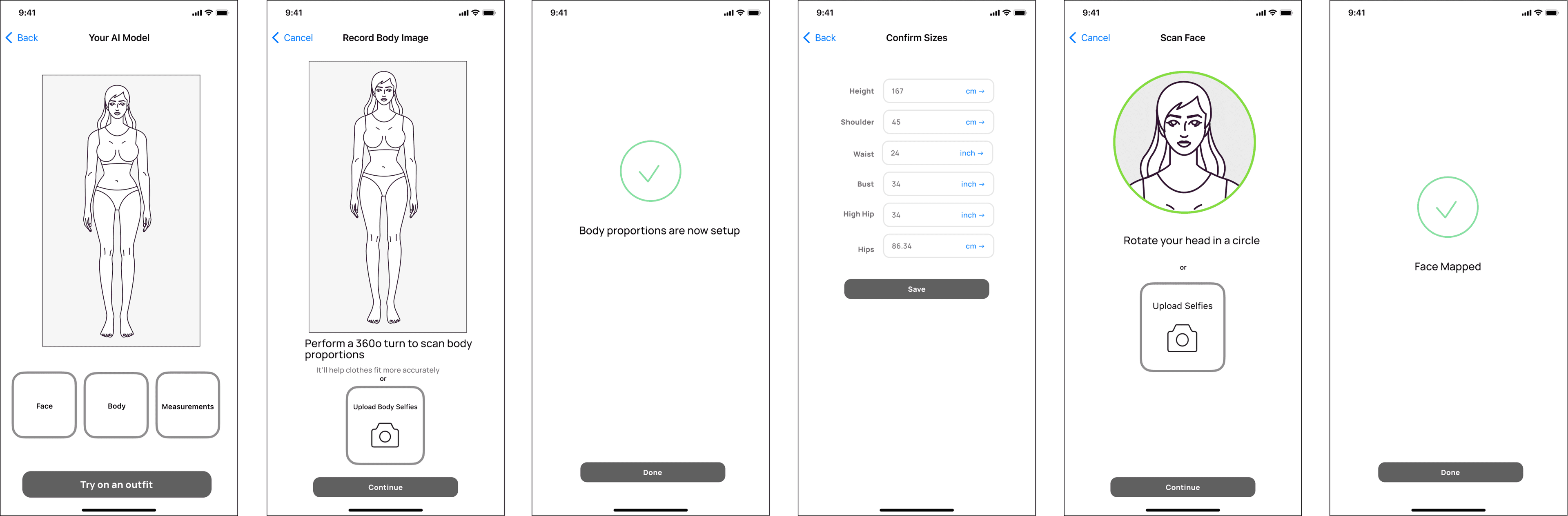
To create the most accurate digital twin:
Draft 01: Try on clothes
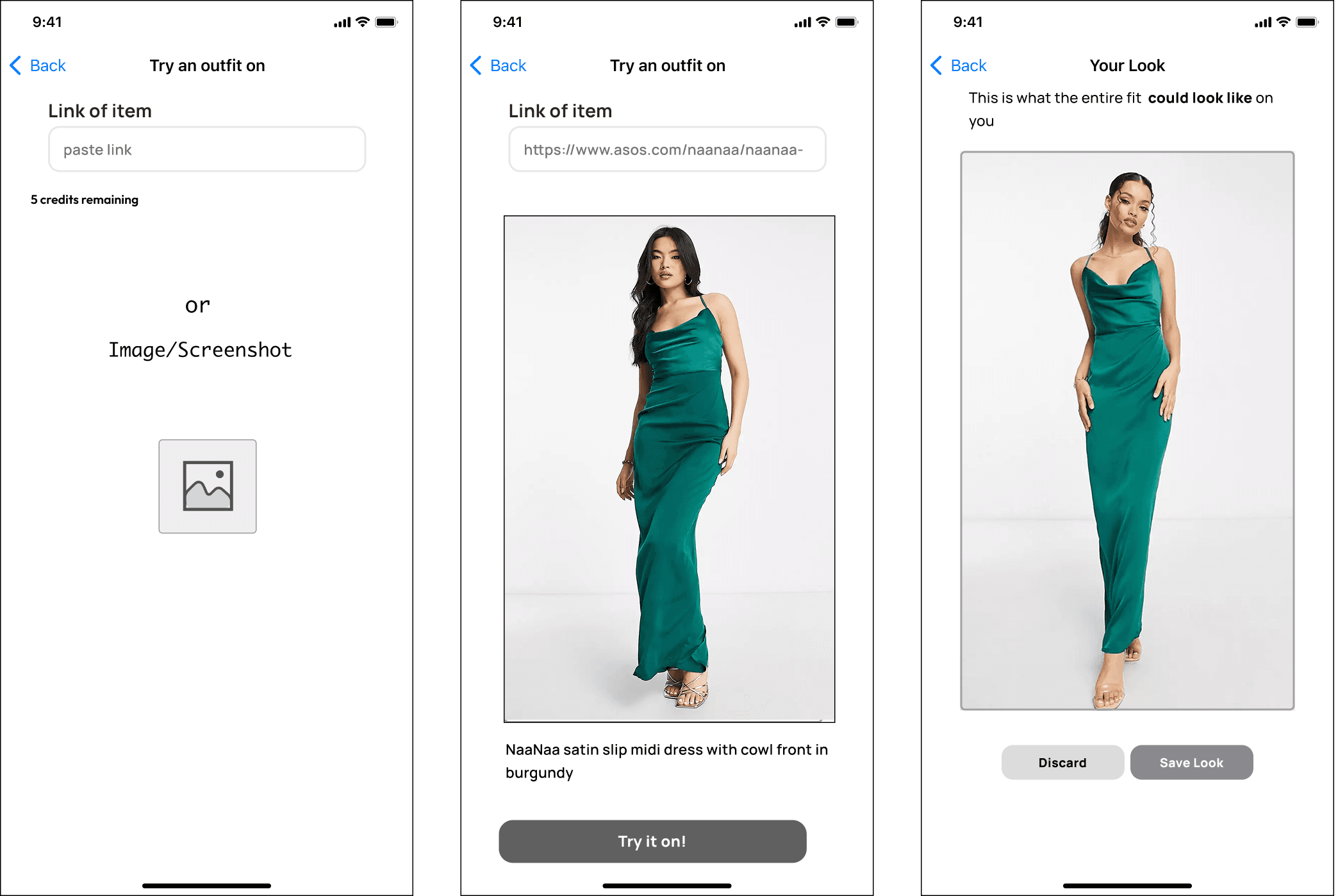
To wear an outfit:
Evaluated → Rejected → Changes
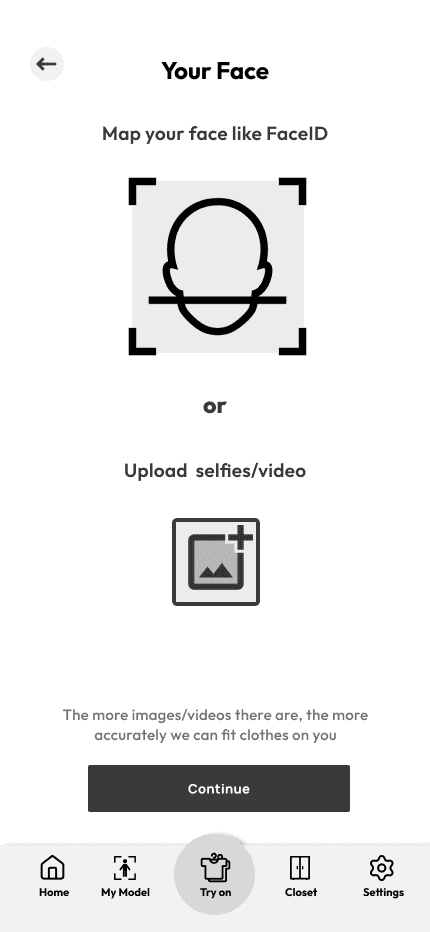
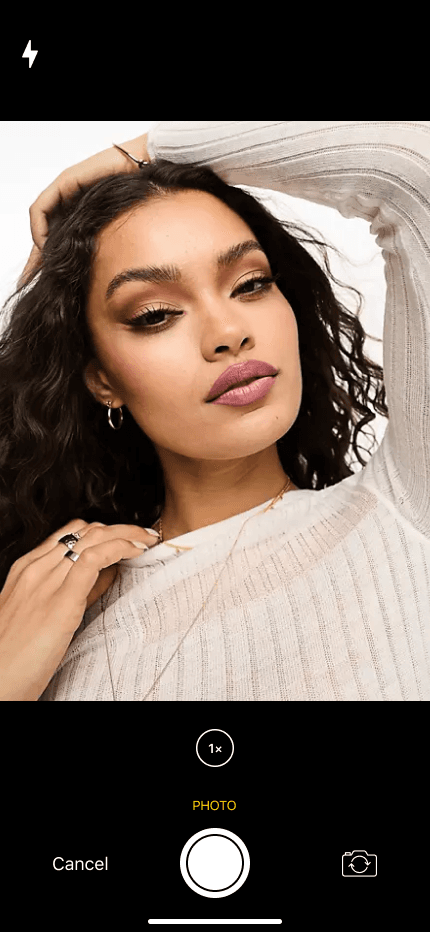
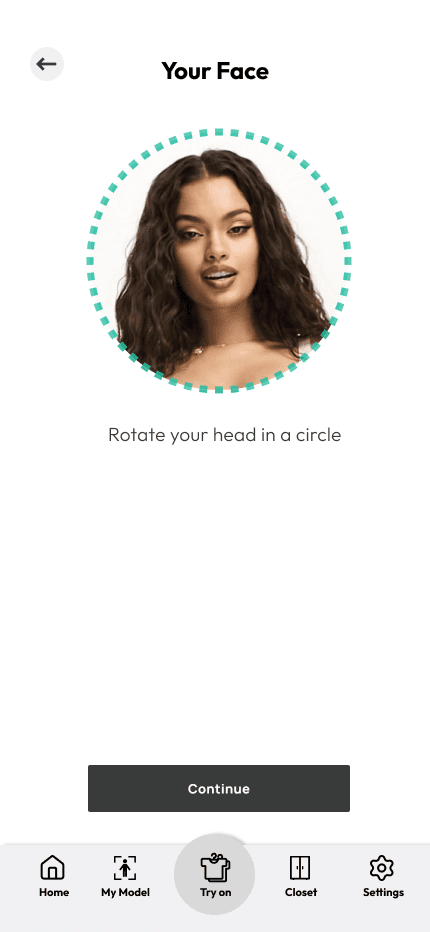
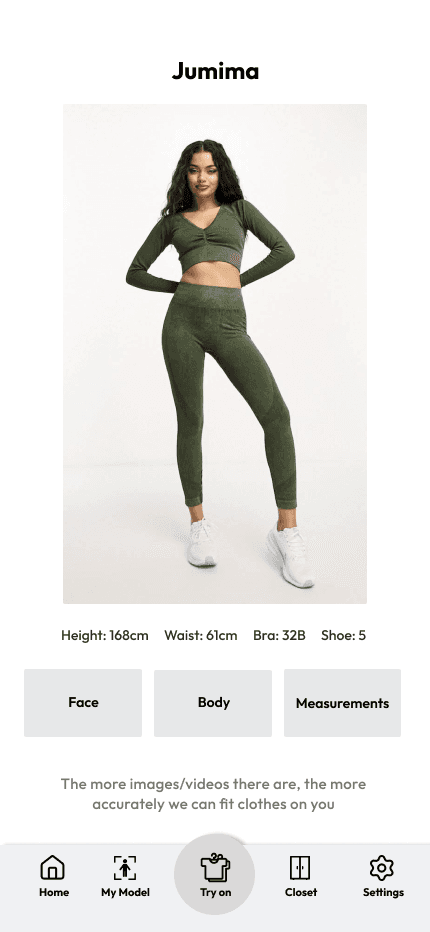
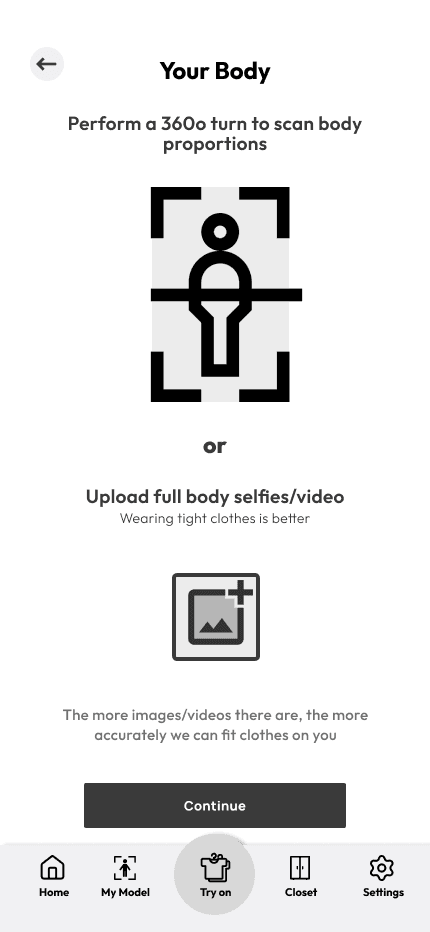
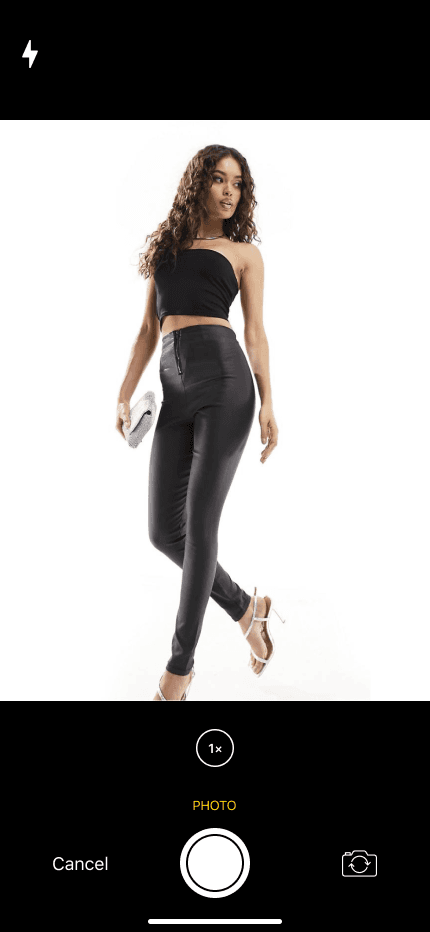
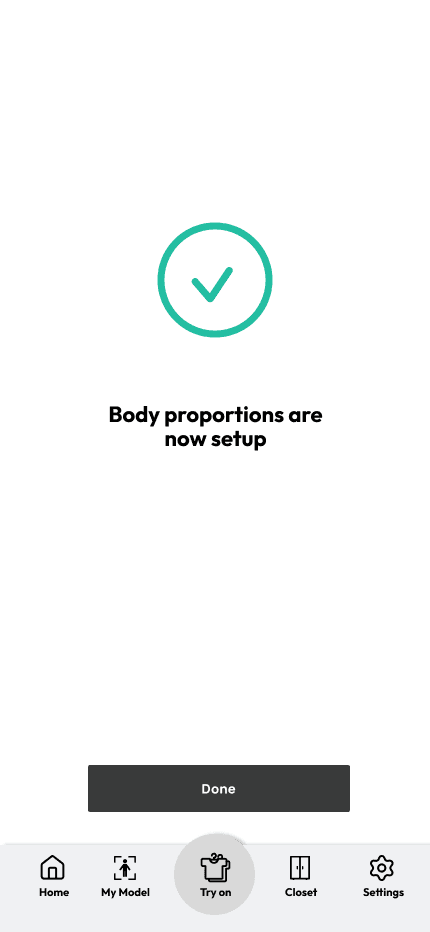
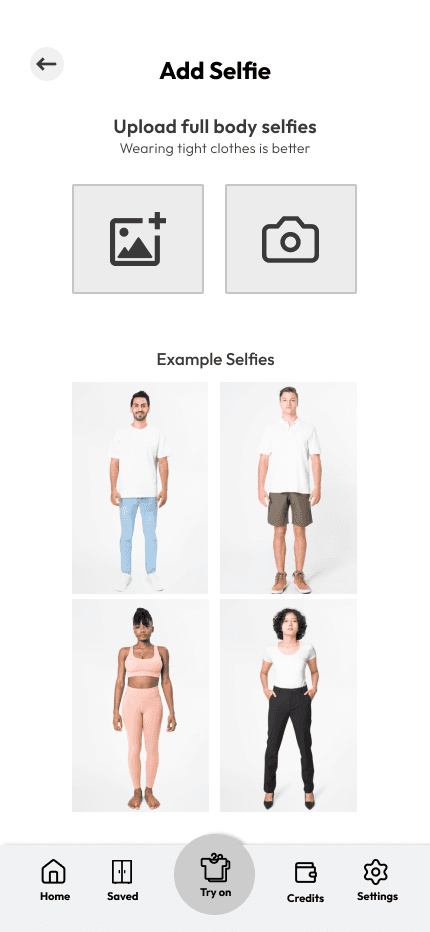
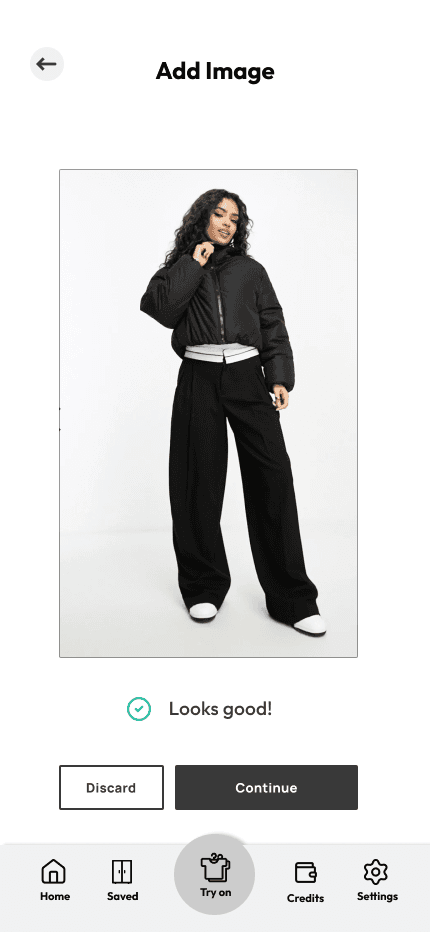
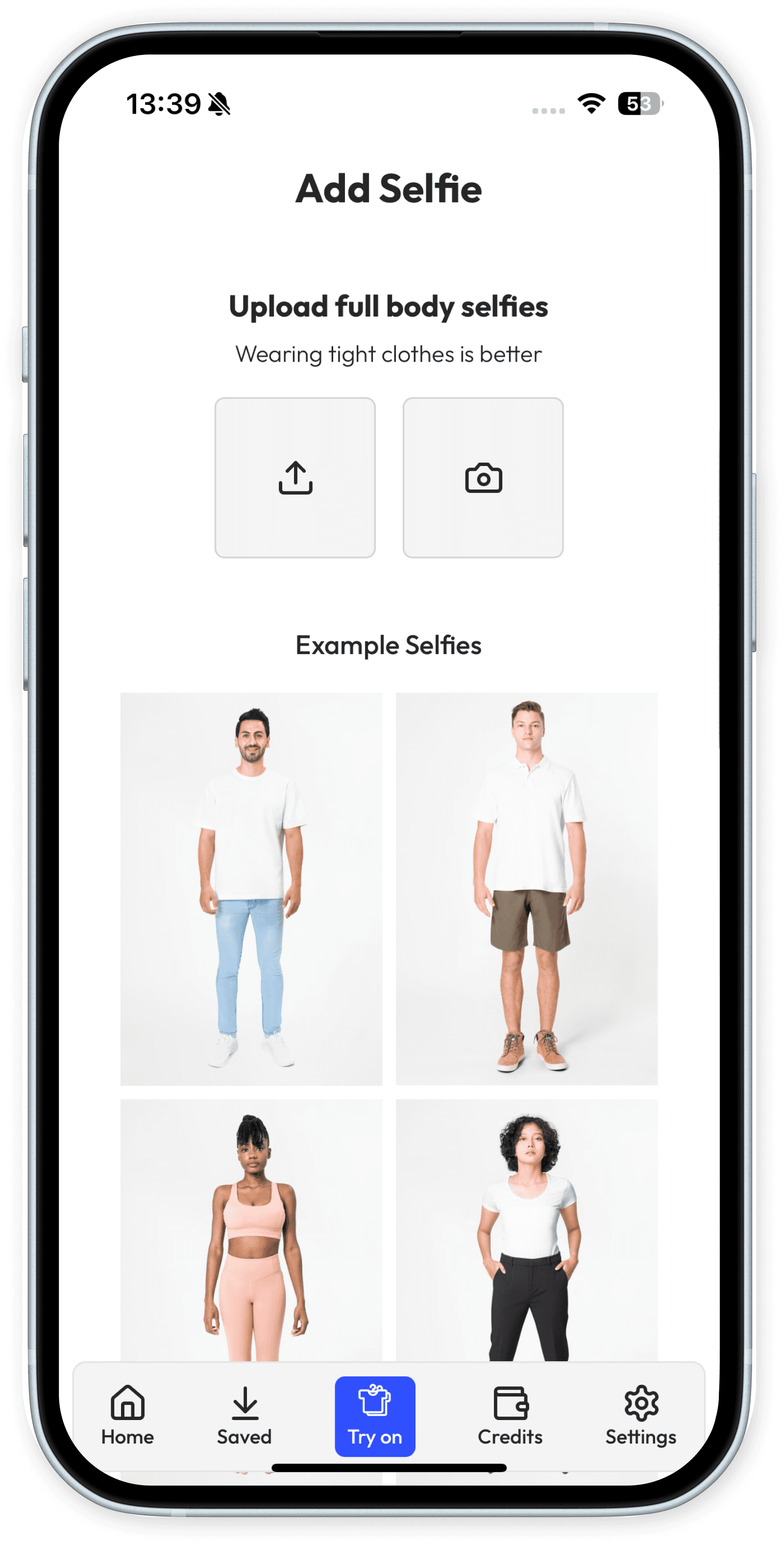
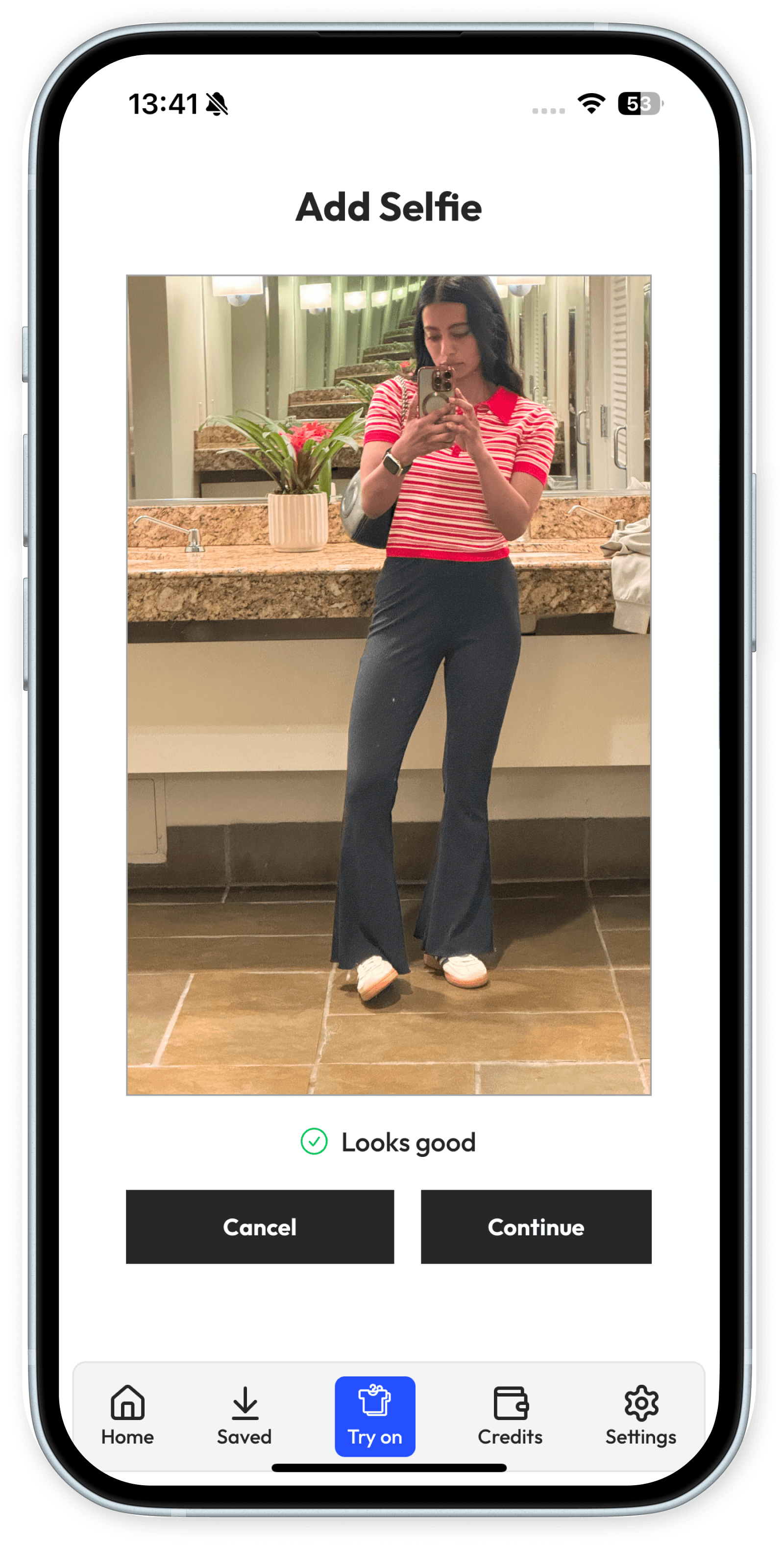
Decision 1: One selfie, not a body scan
Principle served: Instant
The first concept: scan your face and body, add measurements. Users said it plainly - too many steps.
Why: The AI worked well from one full-body photo. So I cut the scanning.
Result: onboarding dropped to under a minute.
“Accuracy nobody experiences is worth less than a first try-on everybody finishes.”
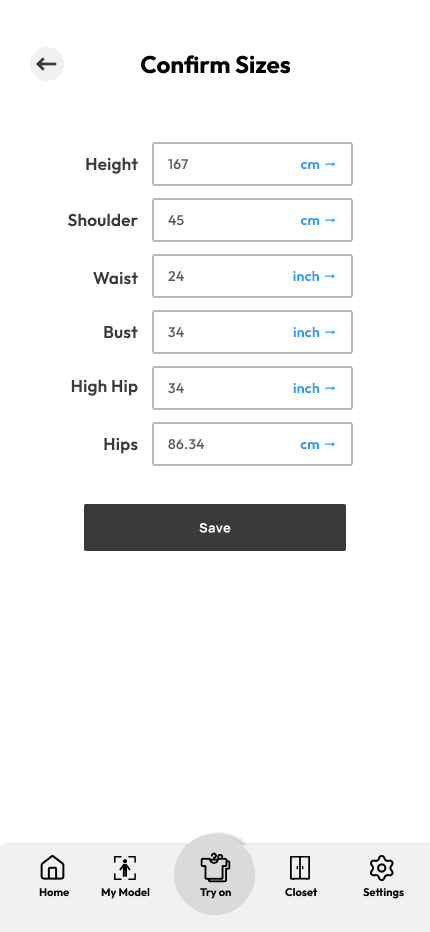
Decision 2: Dropped Body Measurements
The AI clothes replacement tech at the time of build had a long needed research and discovery to accurately predict sizing. We knew from users that sizing was a huge issue and main returns signal.
Why: It wasn’t viable to include sizing for the MVP simply because the tech did not exist yet and would need training to build.
“Accuracy nobody experiences is worth less than a first try-on everybody finishes.”
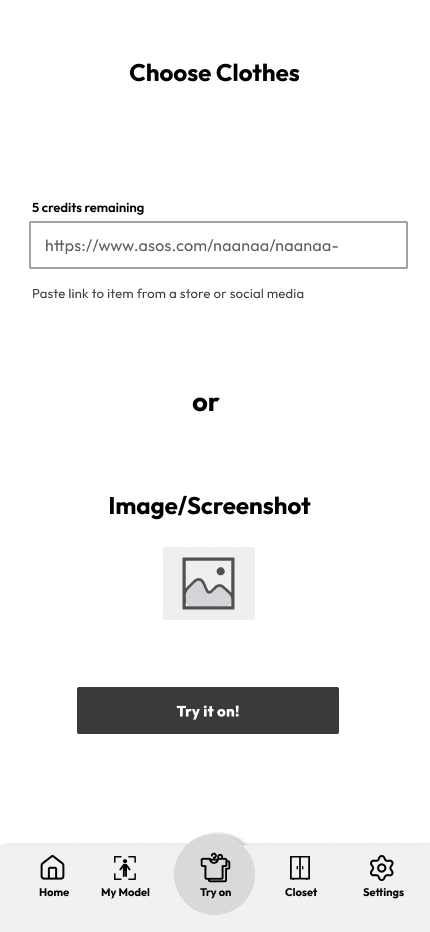
Decision 3: Removed Outfit URL
The original design had a screenshot and URL. We knew from research people usually save/screenshot images of clothing they liked and sometimes share them with their friends.
Why: Due to tech limitations and time, we could not generate the outfit from the URL. So I removed it for the MVP and also we wanted a quick solution.
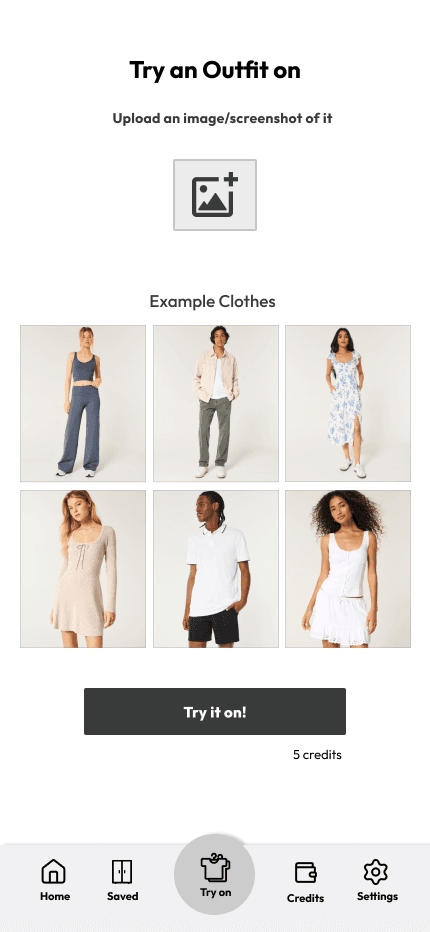
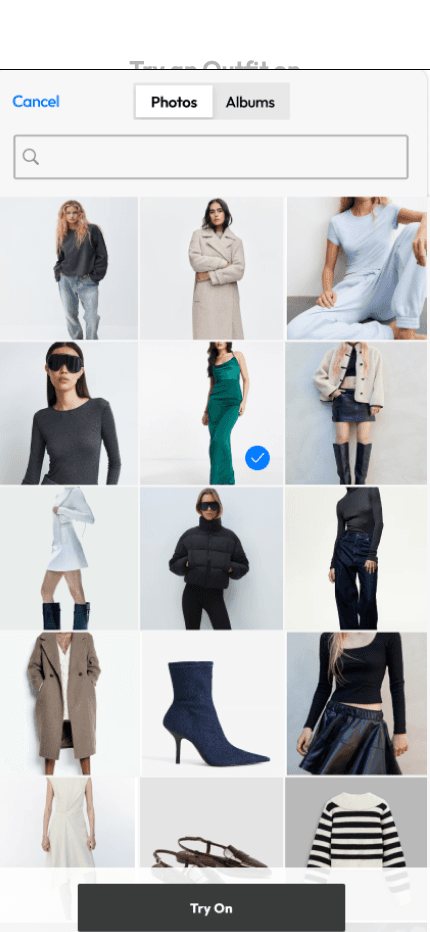
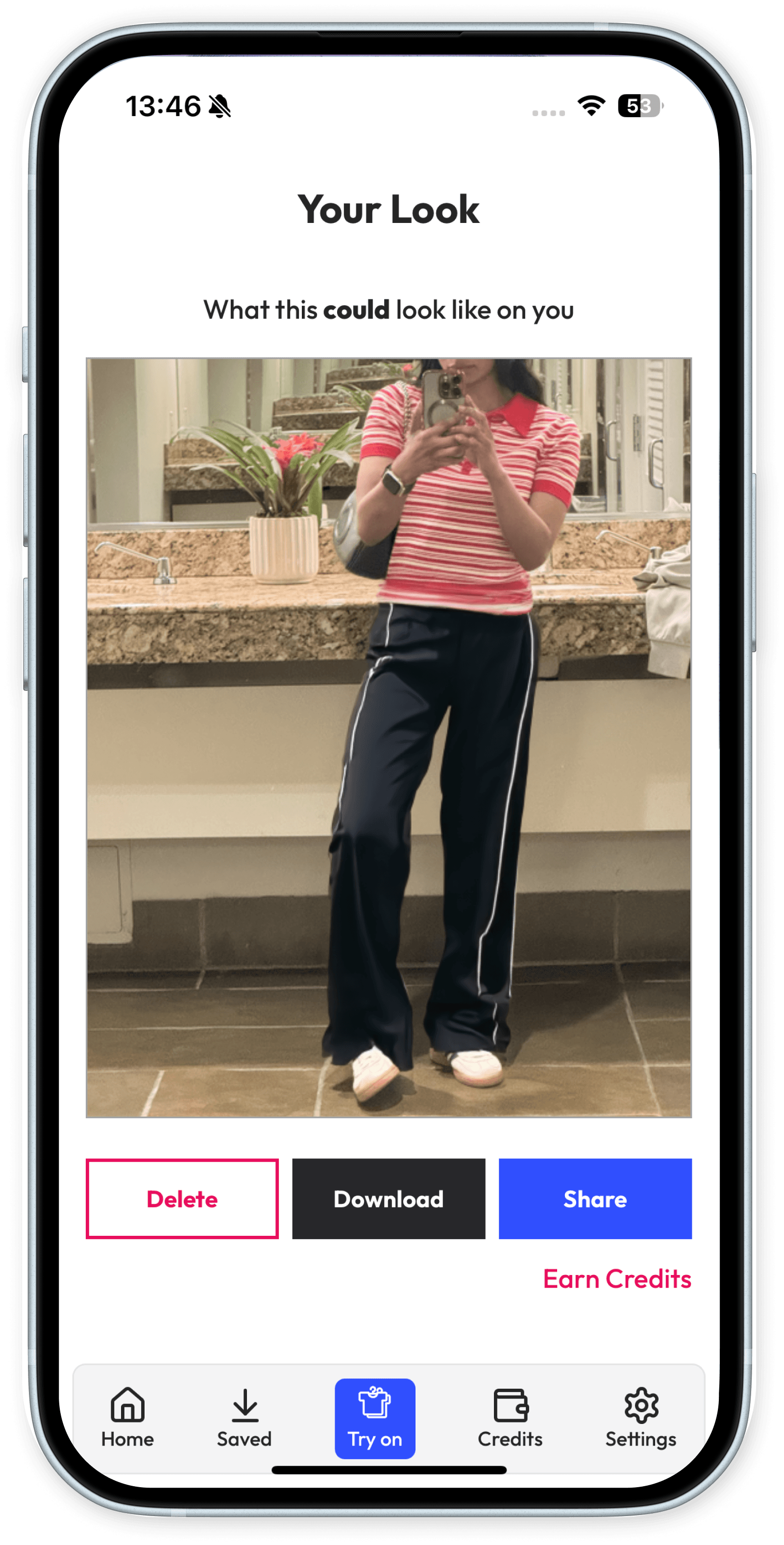
“[Outfits are uploaded from user's image library, or screenshots from social media]”
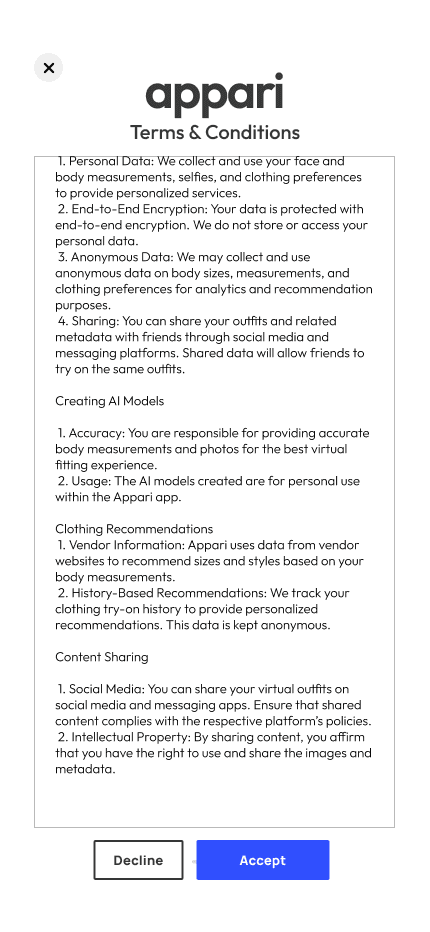
Decision 4: Simplify Onboarding
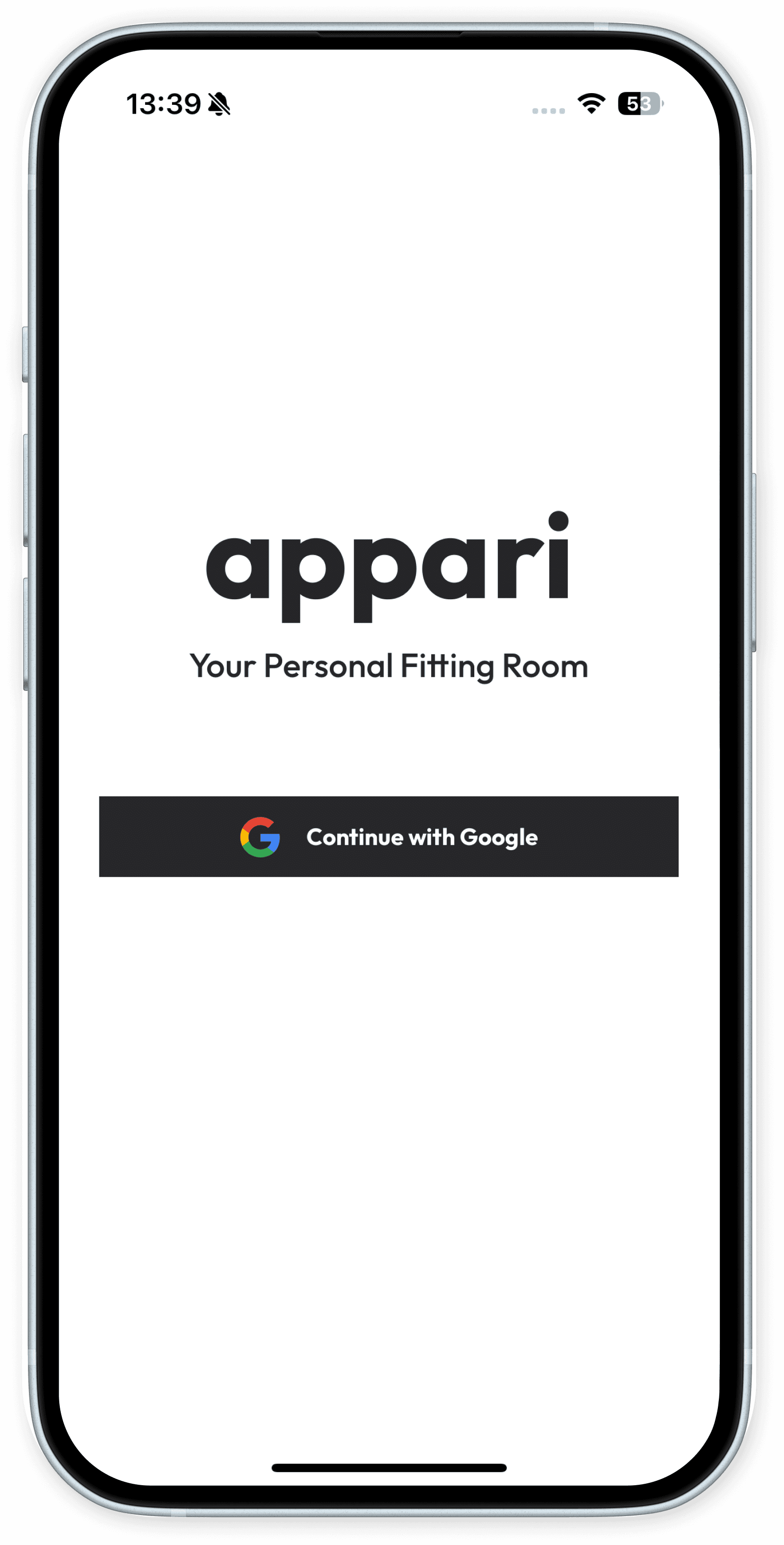
Initially designed a full account creation process with password and email. Decided to remove for a simple ‘Login with Google’ for the first pass.
Why: For the MVP we needed to quickly onboard get people to try the app and reduce time friction.




“Extremely simple login”
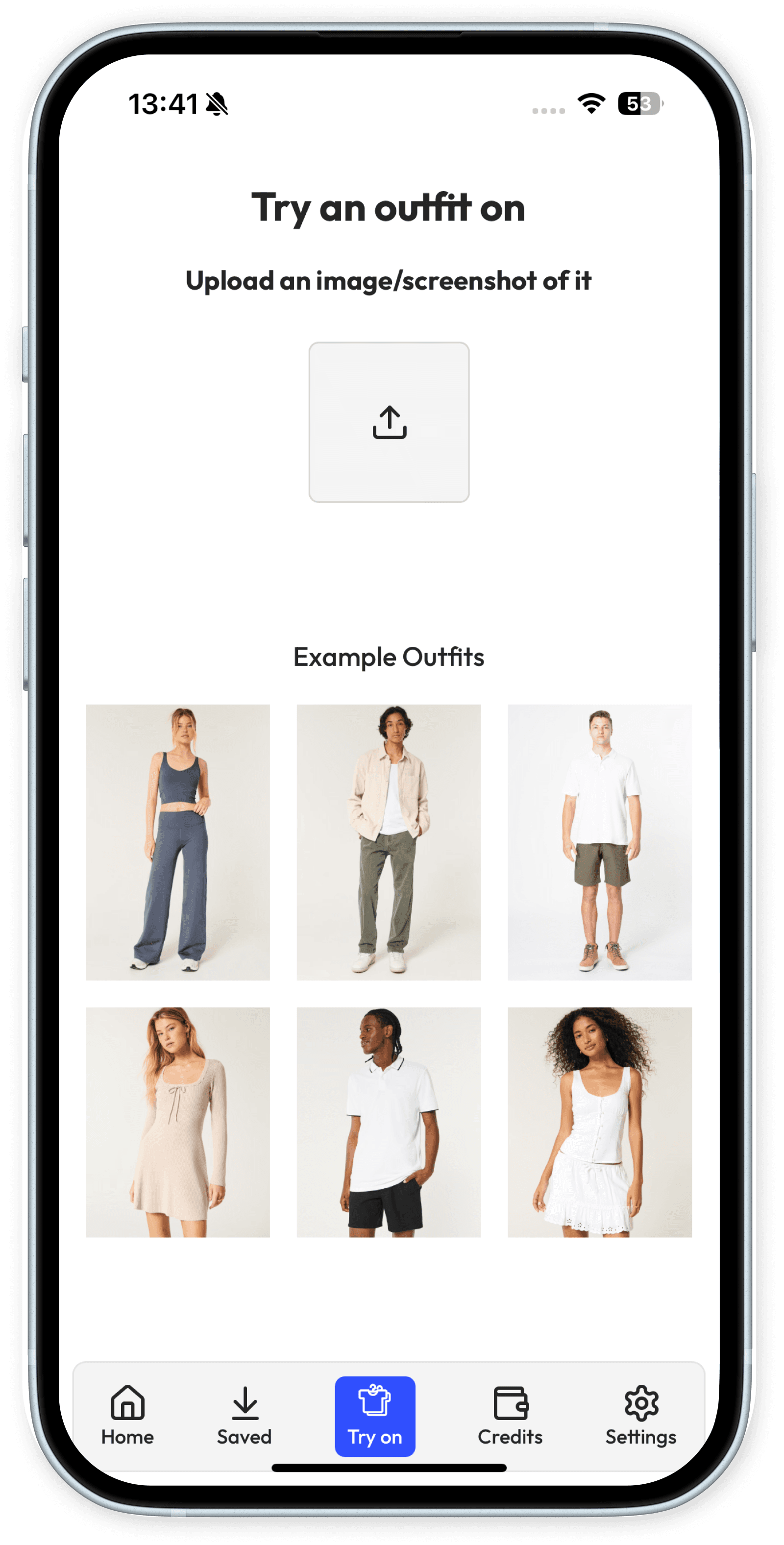
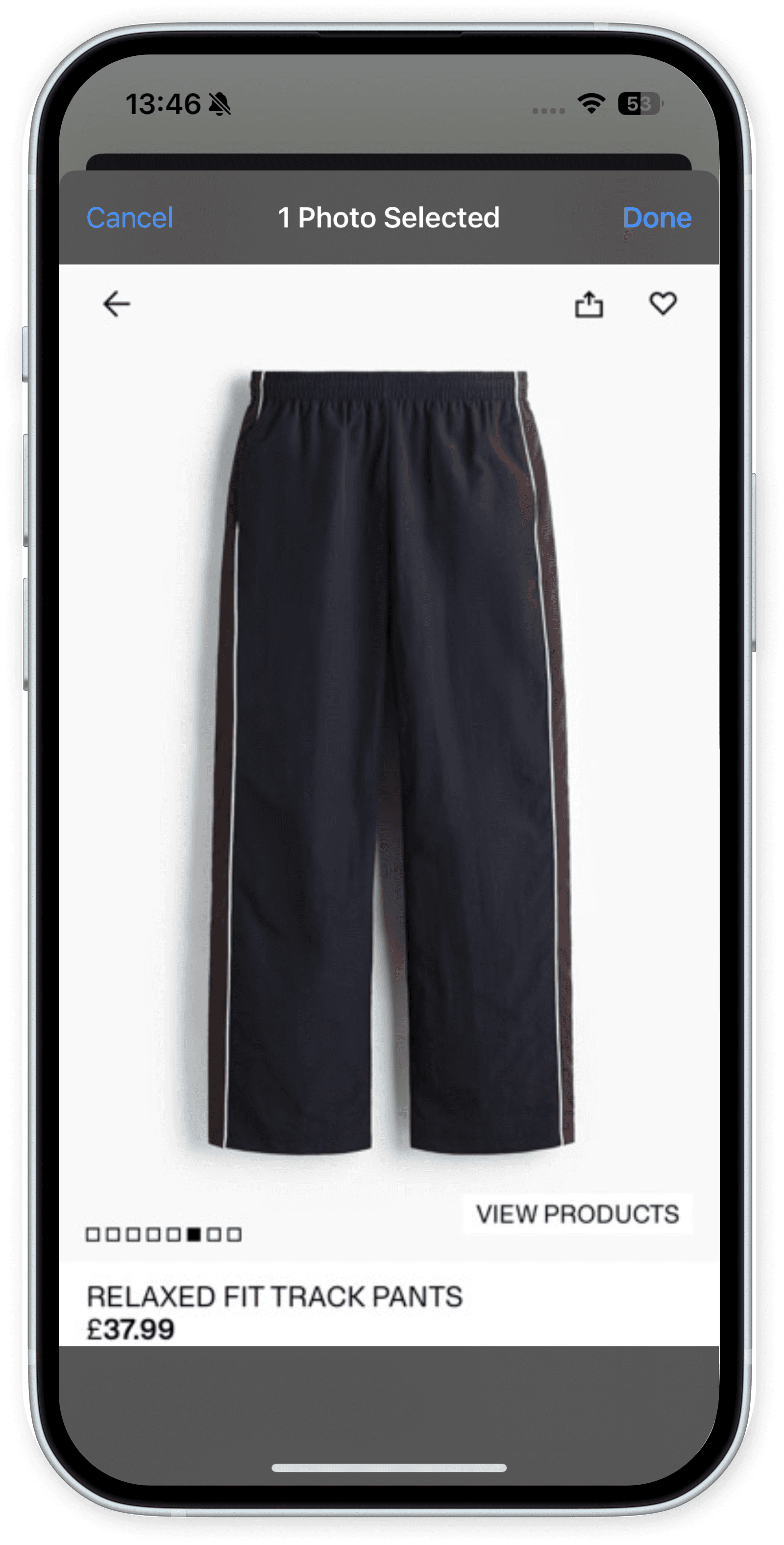
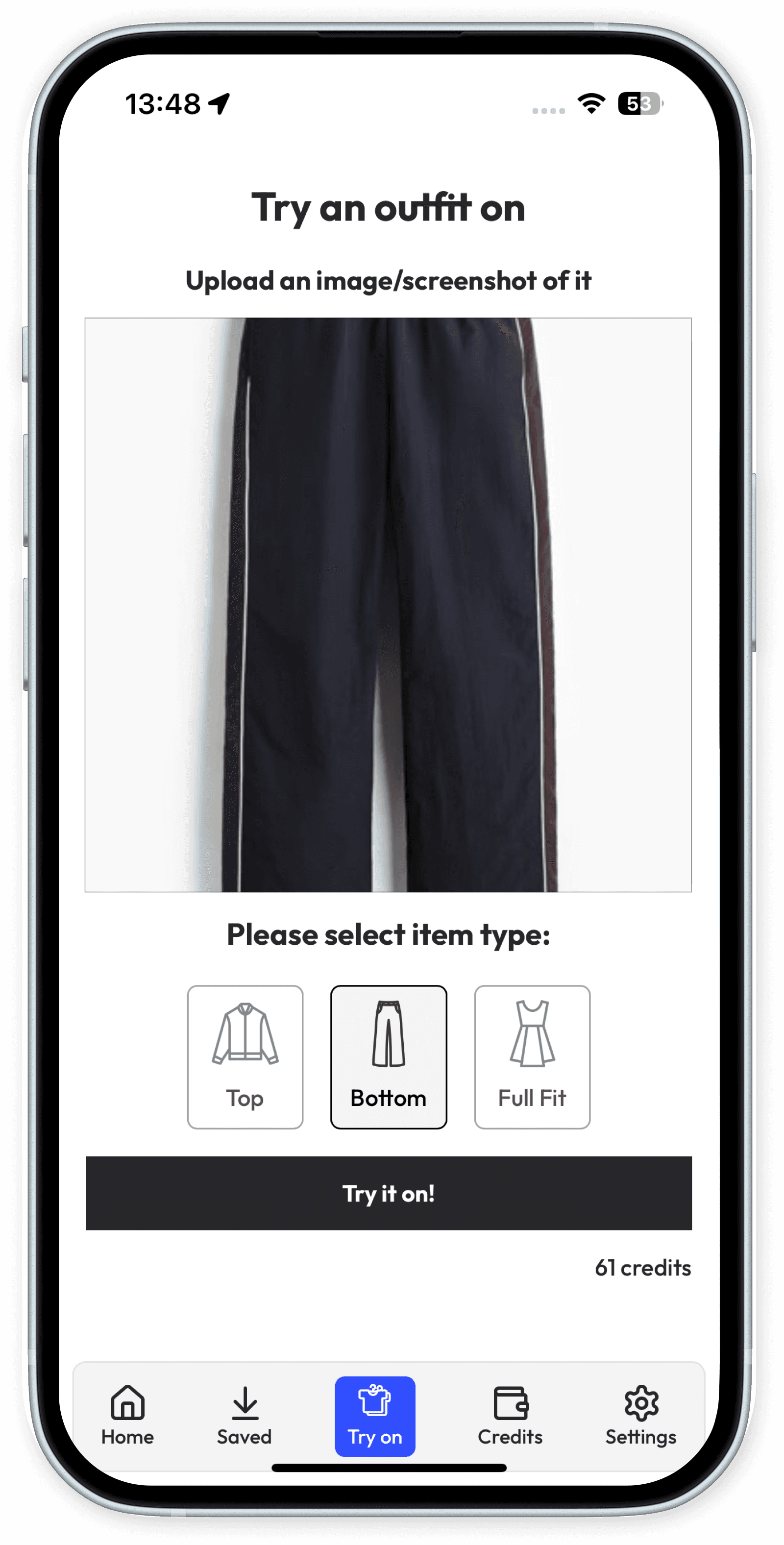
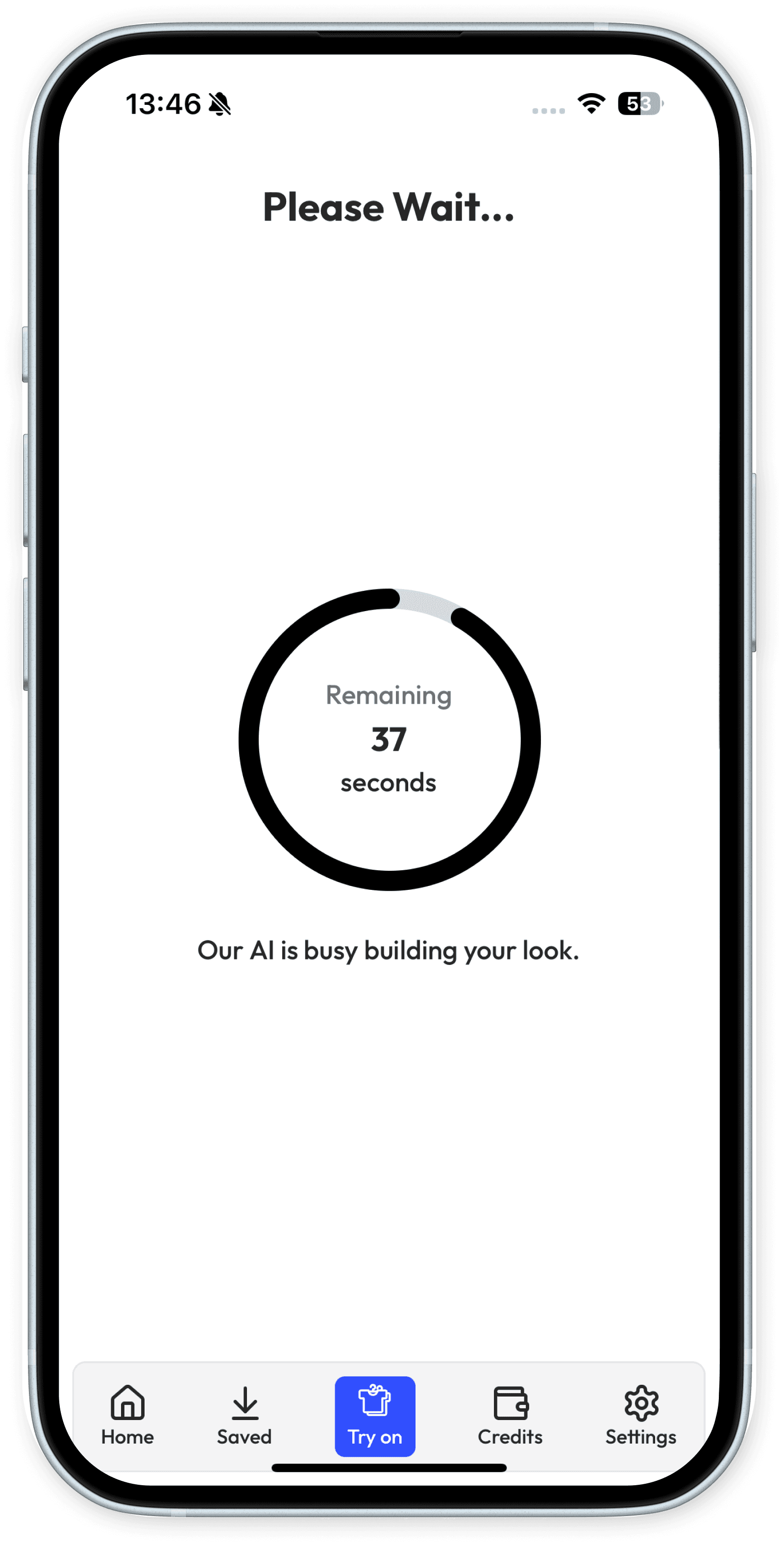
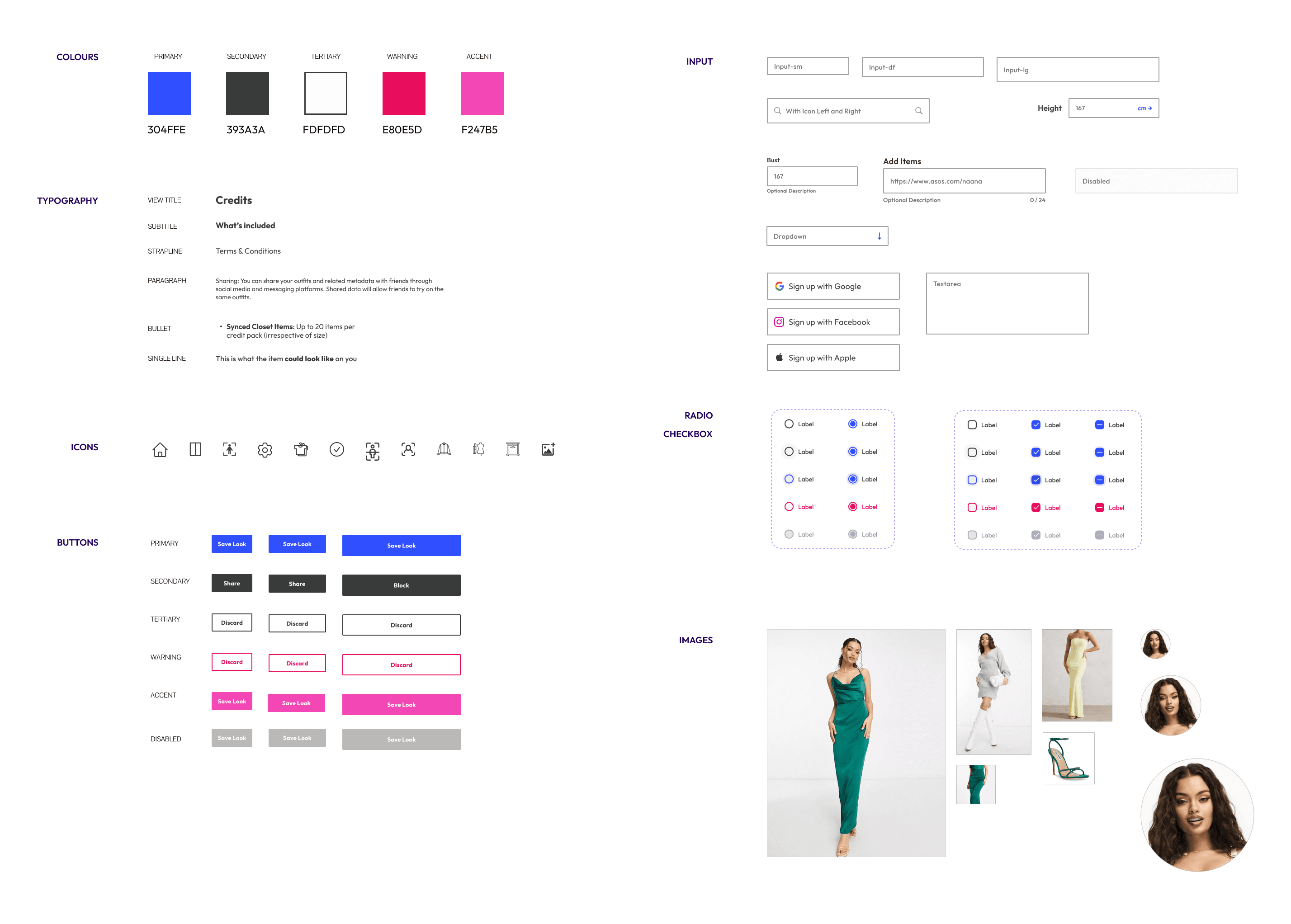
Initial system to create colour scheme and components. Hand coded in Tailwind with error handling in VS Code, ChatGPT, and Claude Code (before real coding agents were available).
Design system tokens & components
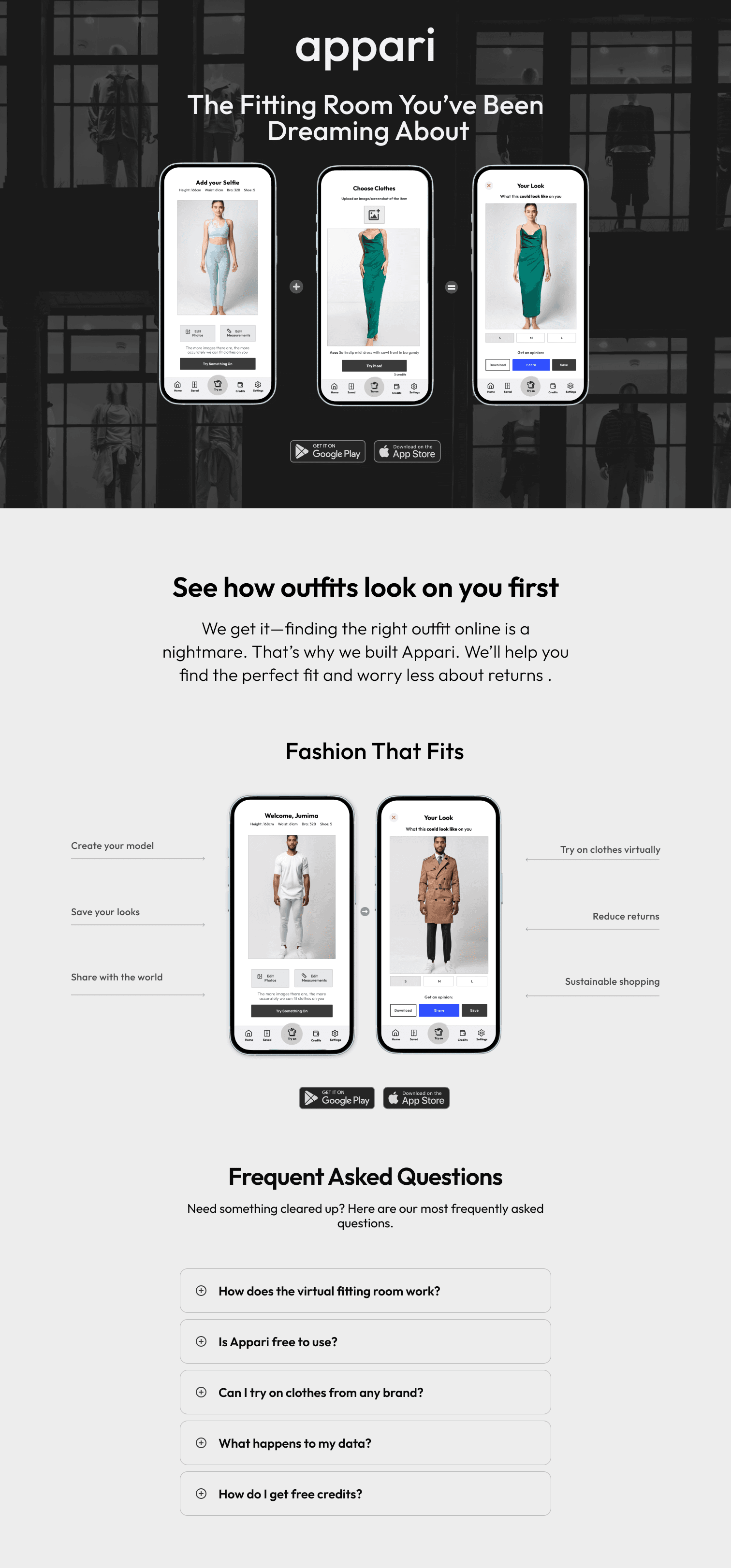
Simple, easy to scroll, designed to understand the product value at a scan.
Website preview
 Scroll the image
Research
Drafted survey questions, then analysed the response data into the core problem themes.
Design review
Without co-designers on the team, ran mock-ups past a UX GPT to find holes before visual prototyping.
Coding with Codex
Used Codex connected to Visual Studio to code front end components and style library from a design POV and visual polish.
Manual override
Ignored many AI suggestions where it was suggesting features based on user research it had hallucinated. I always get it to double check facts and information.
VELOCITY
60%
First time users completed a try on in under 5 mins
AI SLOP RATE
15%
Chance of incorrect image generation
USERS
250+
Post MVP launch
Testing rounds
Prototype testing (4 users)
Tested Figma prototype with key user flows
Identified confusion around photo upload requirements
Additional feedback from UX GPT
Issues around credit system and subscriptions
Beta launch (87 users)
Real product testing with live AI generation
Strong validation for core concept
Feedback on load times and quality expectations
Errors
Trust issues around body selfie
Key findings & iterations
Finding 1
Users were hesitant to upload personal photos immediately
Refined solution
Added demo models and outfits to explore first
Finding 2
AI image generation did not perform to good standard
Refined solution
Added regenerate option without charging an additional credit
Finding 3
On first use, people didn't have clothes to try
Refined solution
Added a gallery of clothing to test with
Finding 4
Credits were too expensive
Refined solution
Reduced pricing and increased number of free credits
What I Learned
For a behaviour nobody has tried before, adoption beats accuracy. The body scan and measurements would have given better results, but people wouldn't finish them. One selfie was less precise and far more likely to be used.
Would Do Differently
Body and face scanning wasn't realistic for this concept at the time, and it would have meant long onboarding for something nobody had tried before. The paste-a-product-link flow was cut for the same reason. I designed both before checking they could be built, so I'd test feasibility at the wireframe stage now.