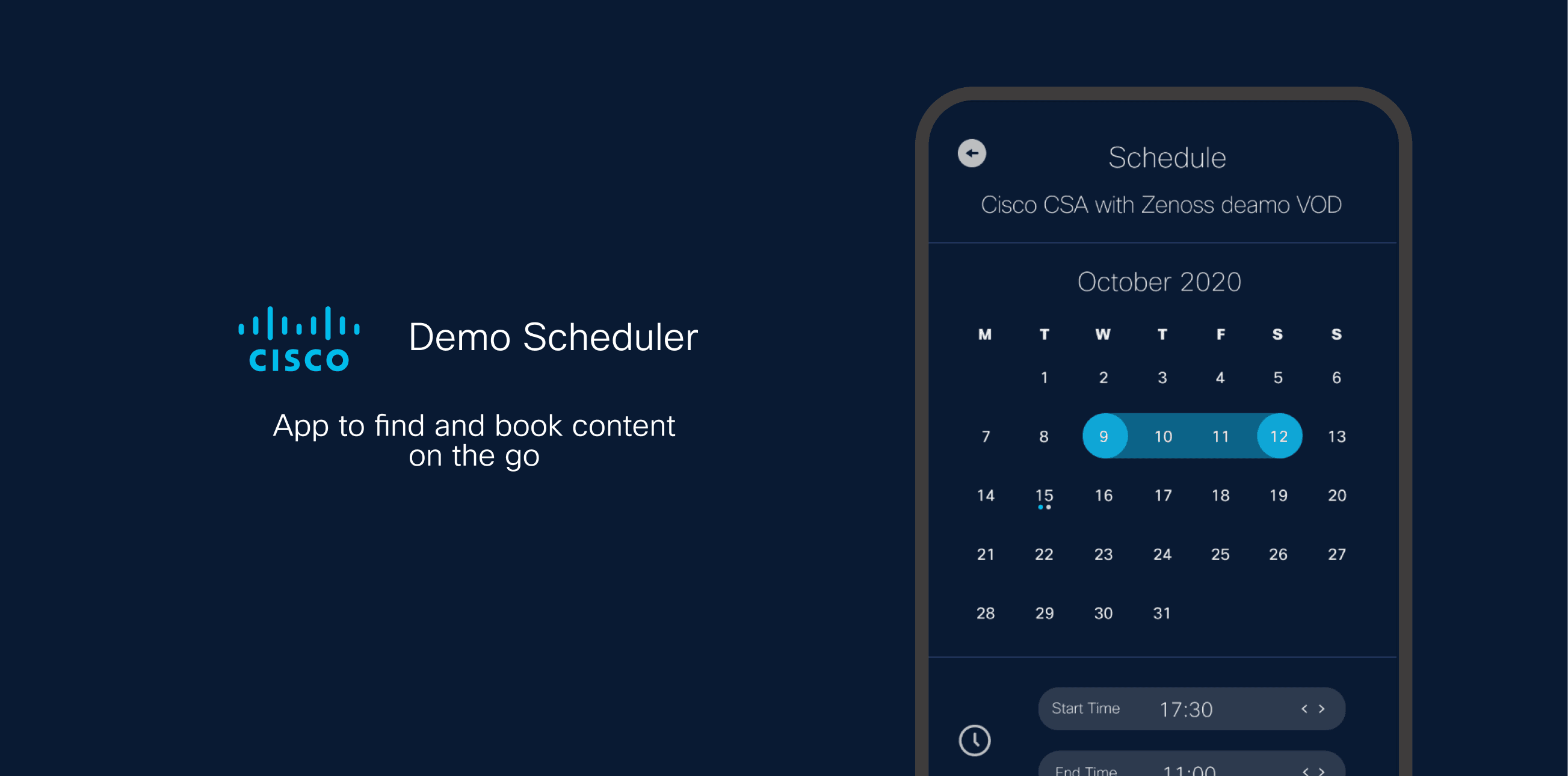
Demo Scheduling: an on-the-go way to book Cisco dCloud content, designed in one week.
- ROLE
- UX Designer
- TEAM
- Antony (UX Designer)
- DELIVERY
- Remote
- DURATION
- One week
- COMPANY TYPE
- Enterprise, Cisco dCloud
- DESIGN STACK
- Figma
- STATUS
- Active data collection phase
Demo Scheduling
Shabia designed a mobile-first demo-scheduling app for Cisco dCloud in a one-week sprint, 38% of scheduling interactions now happen on mobile.
TIMELINE
1 week
Concept to wireframes
MOBILE USAGE
38%
of scheduling interactions
DEVICE
iPhone-first
From analytics investigation
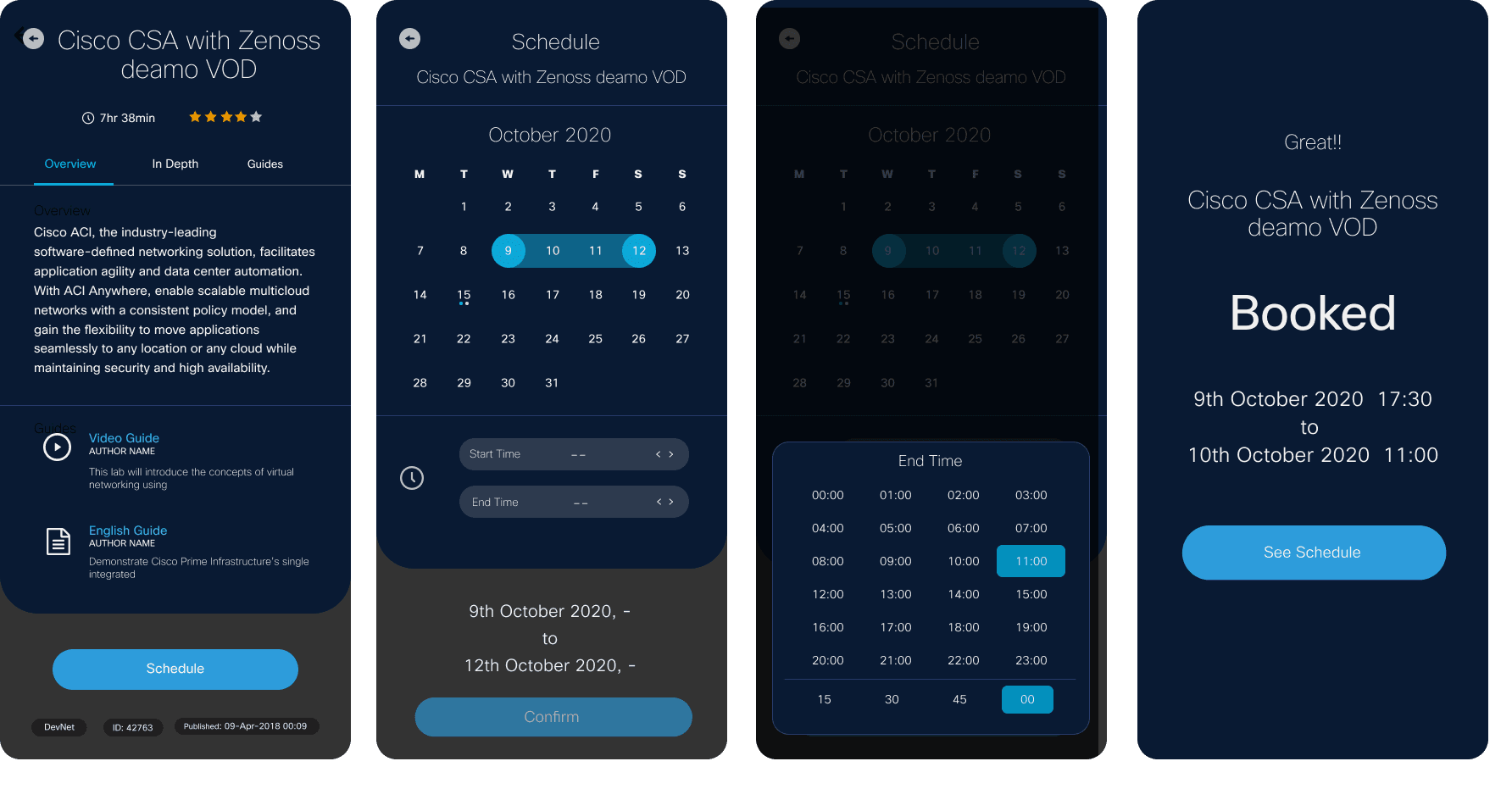
Booking dCloud demo content was built for desktop. Mobile usage was climbing, but the existing scheduling UI didn't hold up on a phone, and I had one week to fix it, which meant no time for a standard research phase.
The bet: skip the deep-dive and go straight to existing analytics and two fast concepts, so there was still something to test at the end of the week.
One week, one clear route in
What the analytics already told us
Users & audience
The same dCloud super users, sales engineers, and demo developers who rely on the platform daily, now increasingly reaching for it from a phone.
Analytics investigation
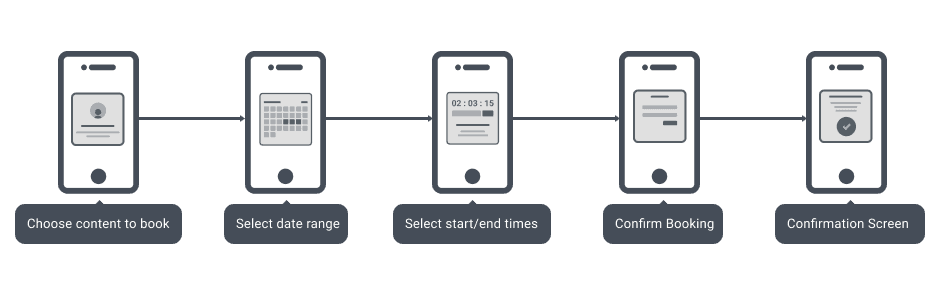
With a week on the clock, I sketched two different booking models before committing to wireframes.
Concept 1: available slots
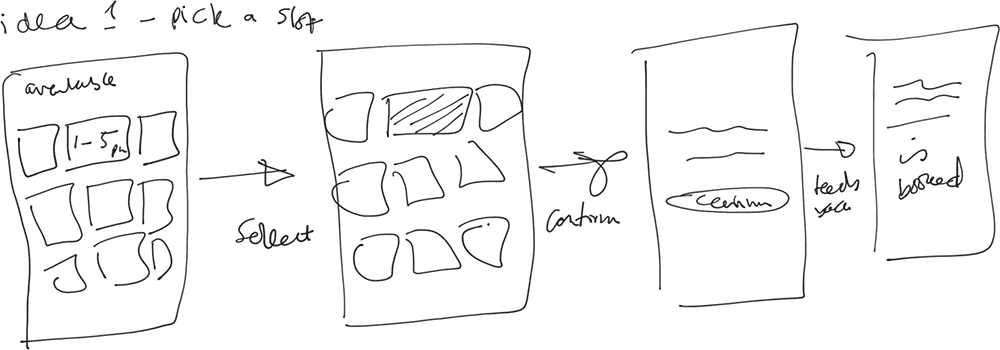
Pros: fast booking, made efficient use of open time.
Cons: broke on sessions longer than a week; slot length varied by location, making it hard to predict accurately.
Concept 2: calendar + time picker
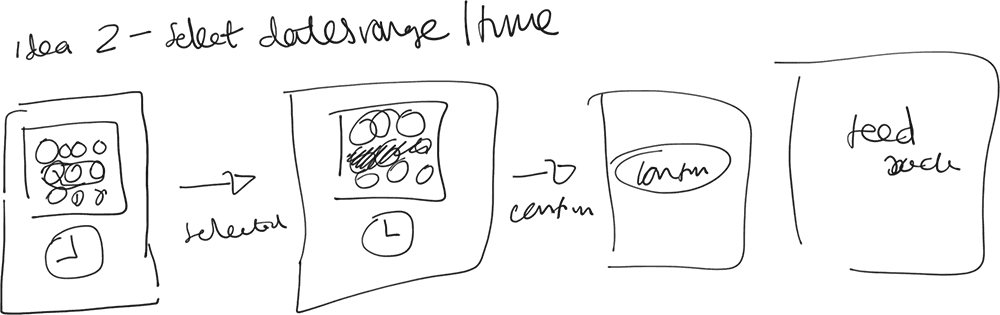
Pros: full flexibility on dates and times, worked for any session length.
Cons: a more time-intensive flow than picking a ready-made slot.
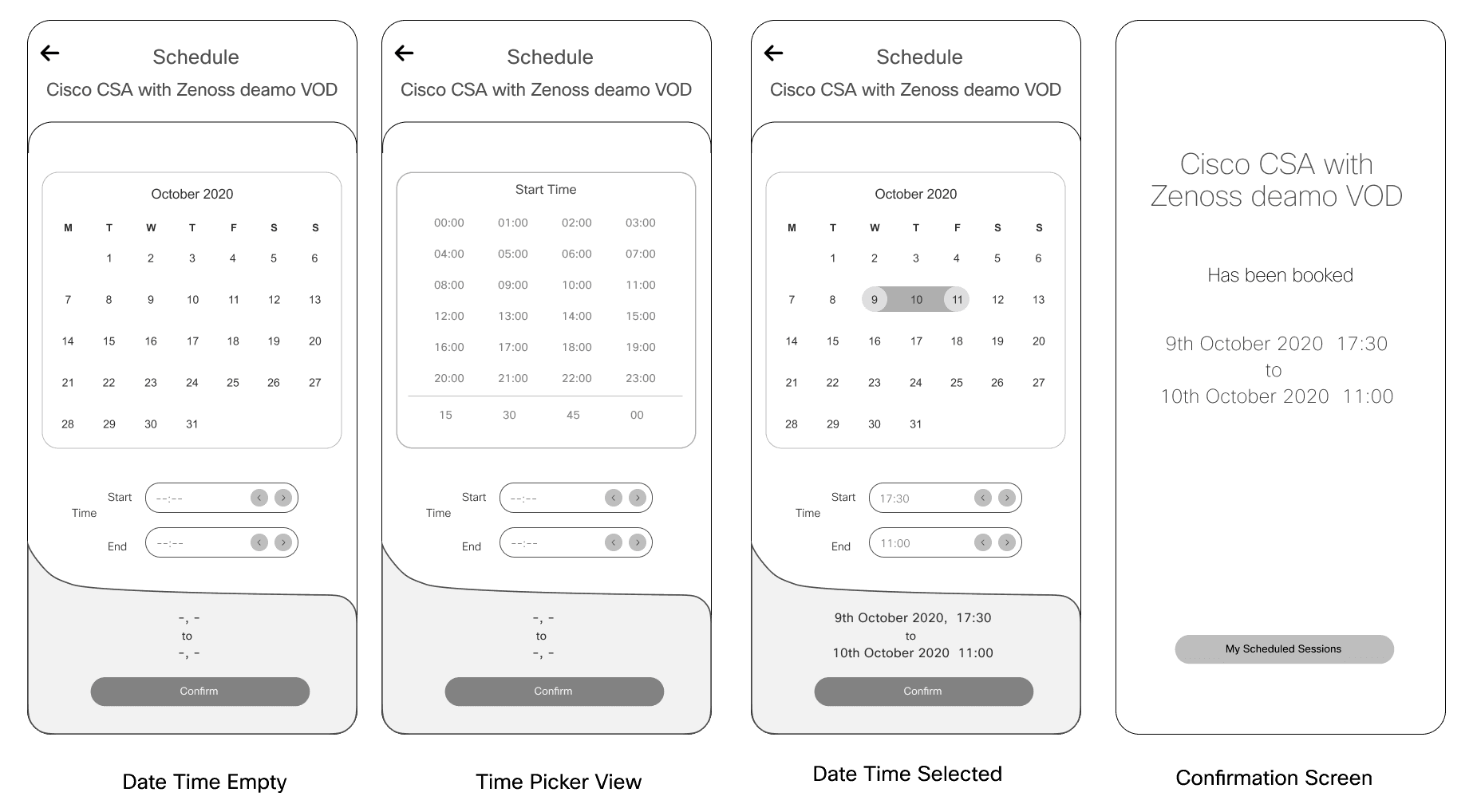
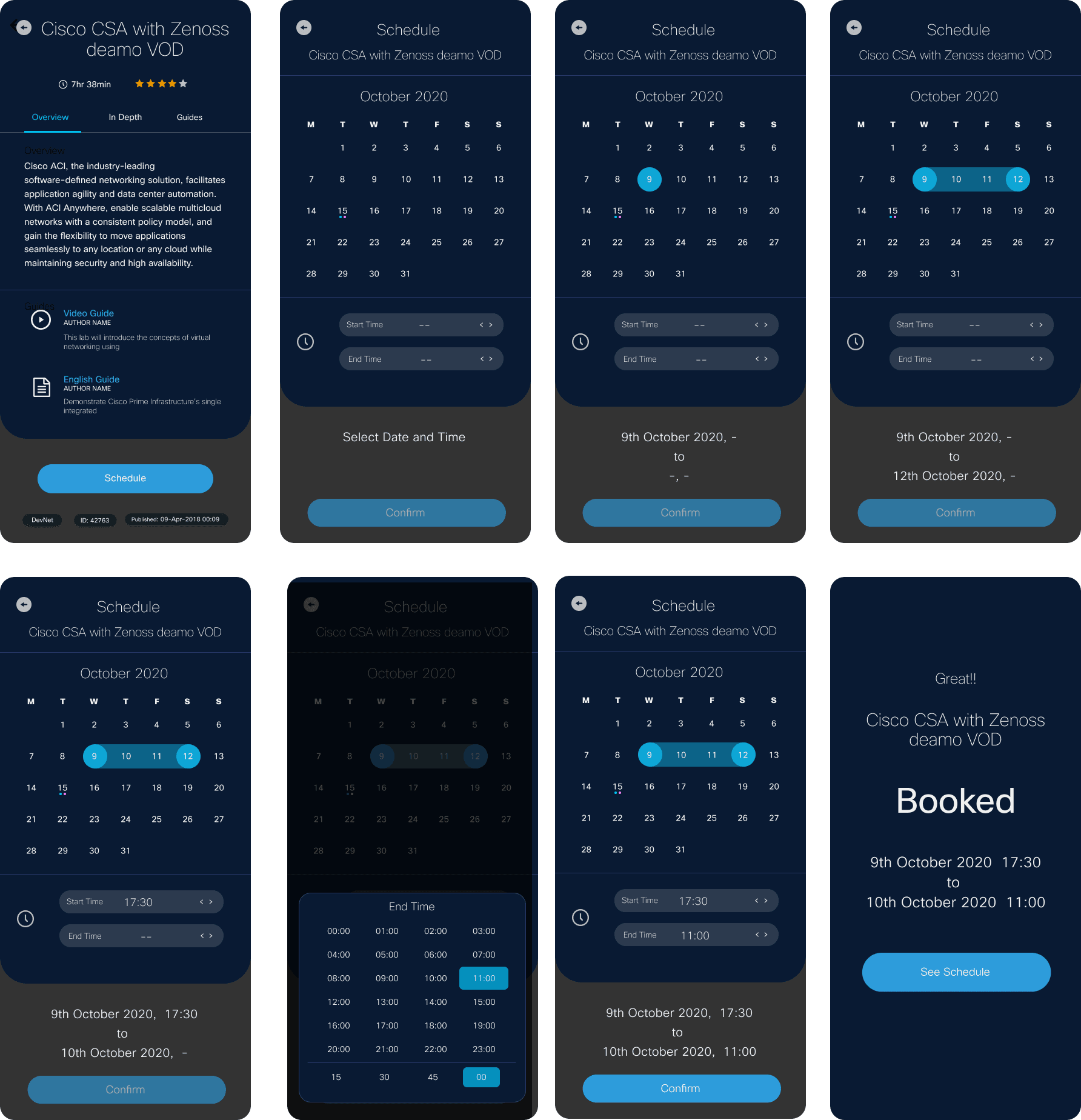
Booking flow: final screens
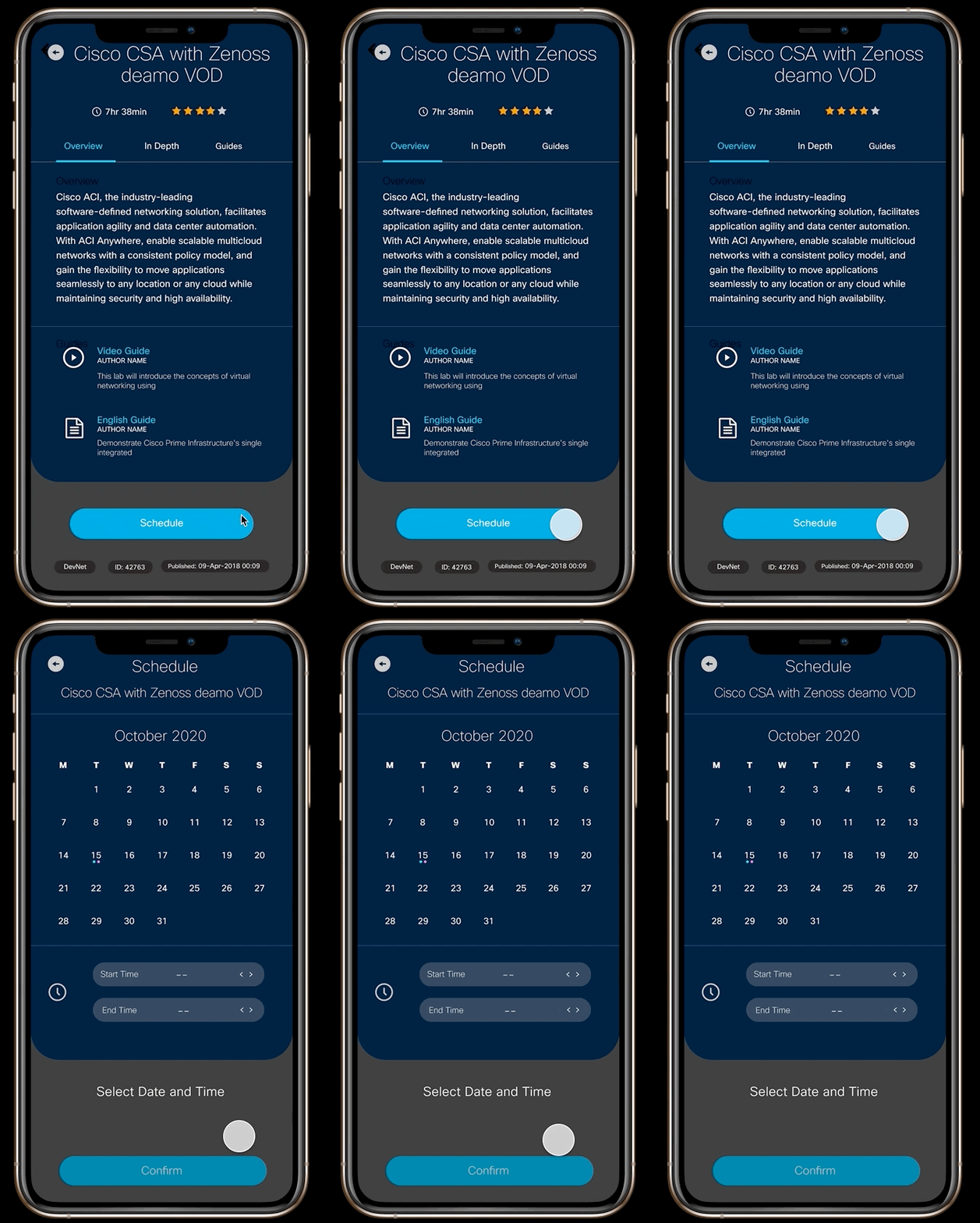
A selection of various UI interactions.
Enter Calendar
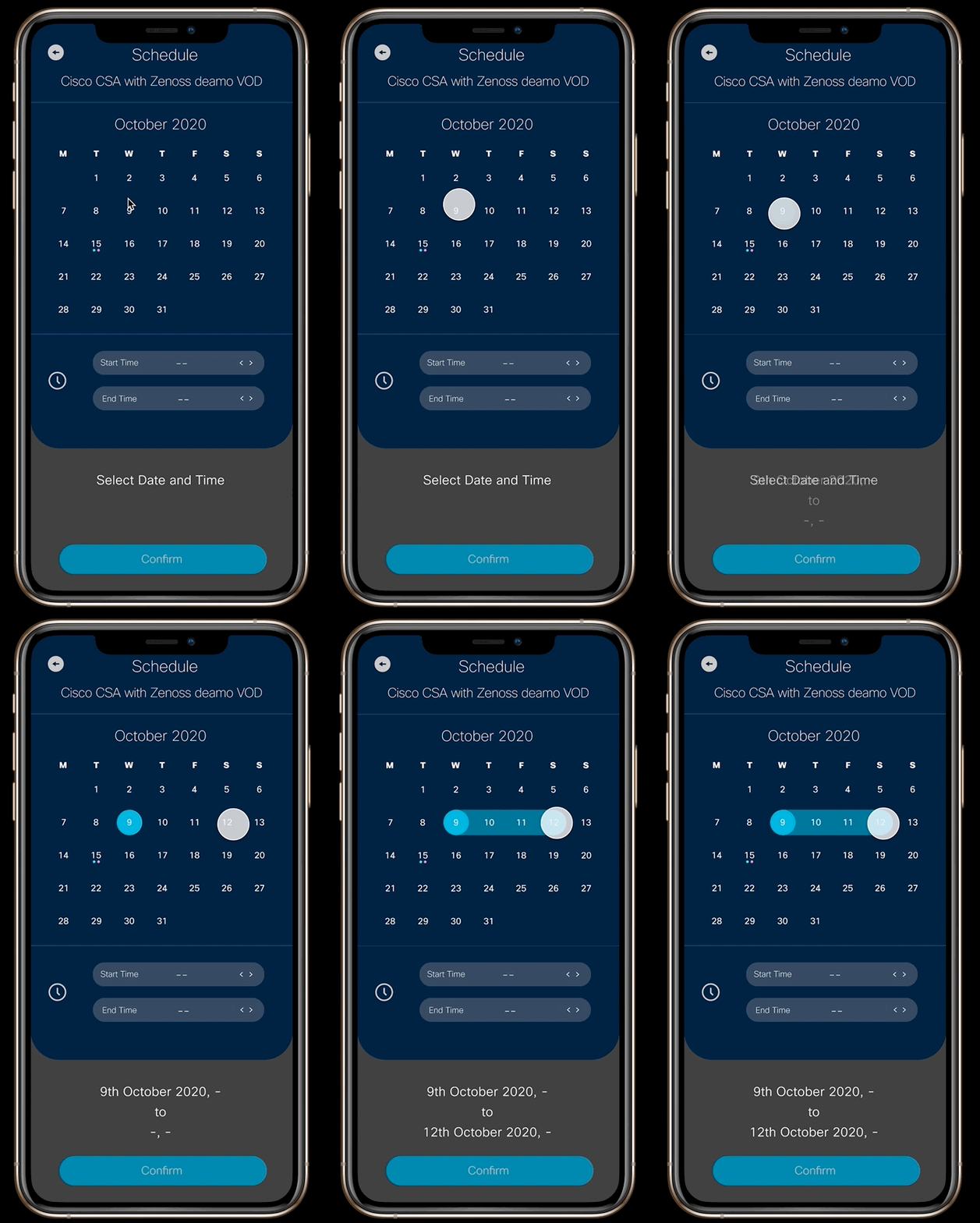
Select Date
Confirm
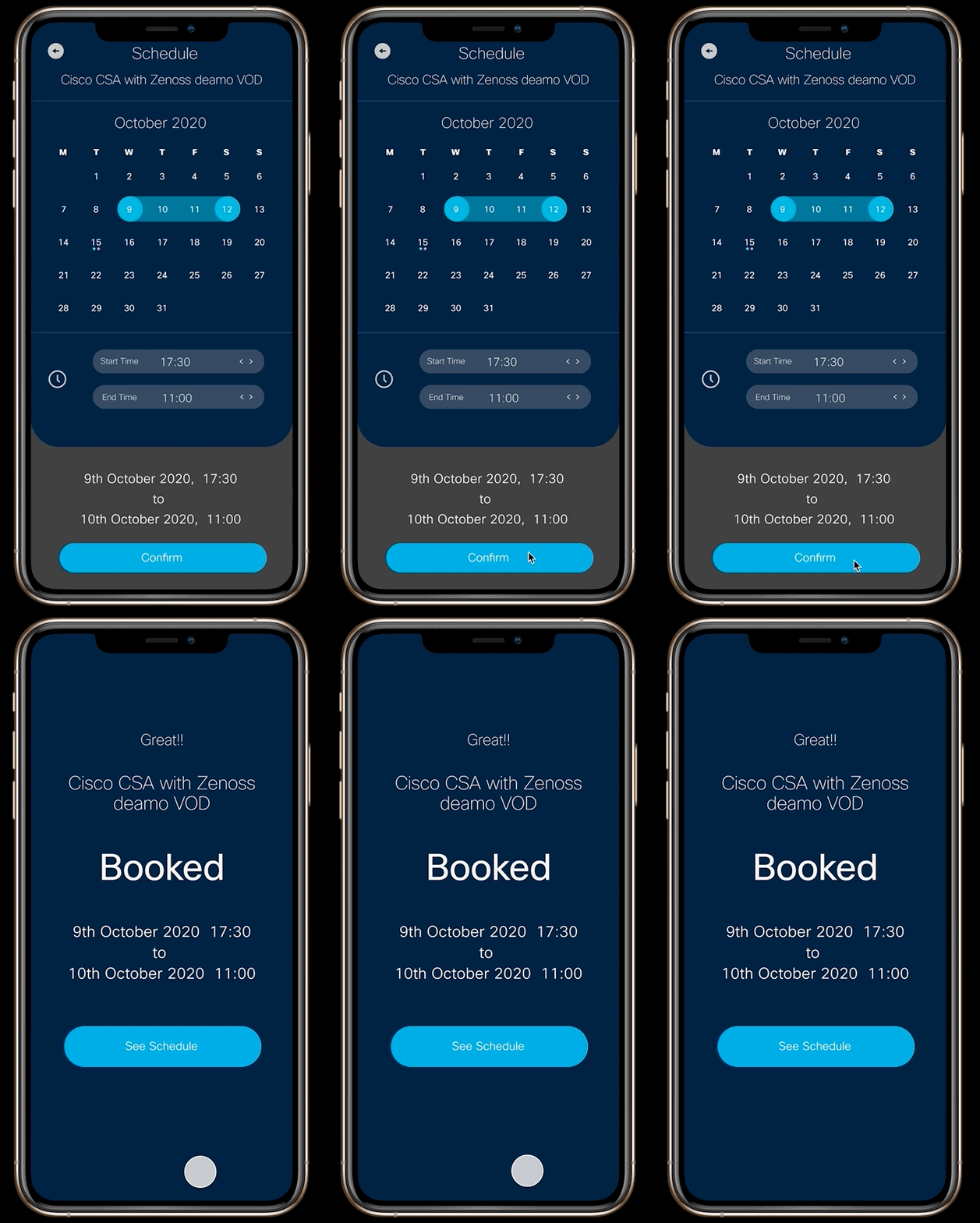
Shipped as a one-week prototype, now in an active data-collection phase to see how real usage compares to the analytics that started the project.
USER FEEDBACK
Positive
On usability and time saved
MOBILE BOOKINGS
50%
booking increase via mobile
What I Learned
Existing analytics can stand in for research when the clock doesn't allow for more, the mobile usage split and the post-scheduling drop-off were enough to point at a real problem worth solving.
Would Do Differently
Get the prototype in front of a few users before the week was out, rather than relying fully on the follow-up data-collection phase.